
Capturas de tela
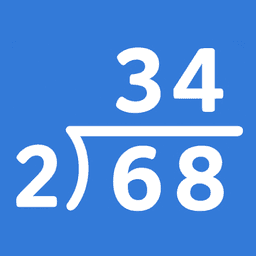
Sobre Matemática (Divisão) Passo a Passo
Domine a divisão longa e a aritmética fundamental com orientação passo a passo. Matemática (Divisão) Passo a Passo divide cálculos complexos em etapas claras e gerenciáveis, ajudando os alunos a entender o processo—não apenas memorizar respostas.
Este app cobre quatro habilidades aritméticas essenciais: divisão longa, multiplicação longa, adição e subtração. Cada tópico utiliza múltiplos layouts para que você possa combinar com seu método de ensino preferido ou padrão curricular. Para a divisão longa, escolha entre o formato padrão americano (divisor à esquerda), o formato britânico/europeu (divisor à direita), ou um layout de linha única. A multiplicação longa oferece tanto o formato vertical clássico quanto a multiplicação em grade (método da caixa) para alunos visuais.
Dois modos de aprendizado se adaptam a diferentes estilos de estudo. A Prática Guiada solicita que os alunos selecionem o resultado correto em cada etapa, reforçando o procedimento adequado e construindo confiança através do engajamento ativo. O Modo de Navegação permite percorrer as soluções no seu próprio ritmo—avançar um passo de cada vez ou pular para o início ou fim de qualquer problema. Você também pode escolher se as respostas são exibidas como restos ou decimais, alinhando-se às expectativas da sua sala de aula.
A interface prioriza a clareza e reduz a sobrecarga cognitiva. Visuais limpos e linguagem direta mantêm o foco na matemática em si. Opções de tema escuro e claro garantem uma visualização confortável em qualquer condição de iluminação, seja estudando em uma mesa ou em movimento.
A funcionalidade offline torna este app confiável em qualquer lugar. Use-o na sala de aula sem depender de acesso à internet, durante viagens ou em áreas com conectividade limitada. Professores e pais valorizam uma abordagem que constrói fluência aritmética duradoura em vez de soluções rápidas—este app entrega exatamente isso ao enfatizar a compreensão em vez da velocidade.
Matemática (Divisão) Passo a Passo foi projetado para alunos que aprendem aritmética fundamental, pais que apoiam a educação matemática de seus filhos e professores que buscam uma ferramenta flexível que se adapte a diferentes abordagens de ensino. Comece em segundos: abra o app, selecione seu tópico, escolha seu layout e modo de aprendizado, e comece.
Prós e contras
Prós
- Breaks arithmetic into clear, manageable steps for deeper understanding
- Multiple layout formats match different curricula and teaching methods
- Two learning modes support both guided practice and self-paced exploration
- Works fully offline, so no internet connection required in classrooms or travel
Contras
- Limited to four basic arithmetic operations with no advanced topics
- Guided Practice mode may feel repetitive for students who grasp concepts quickly
- No mention of progress tracking or performance analytics for teachers and parents
Perguntas frequentes sobre Matemática (Divisão) Passo a Passo
É seguro baixar o Matemática (Divisão) Passo a Passo?
O arquivo do Matemática (Divisão) Passo a Passo no Unstore foi verificado contra malware em 20 de maio de 2026. A verificação não encontrou ameaças e atribuiu uma pontuação de risco de 5/100 (quanto menor, mais seguro).
Quais são os requisitos de sistema do Matemática (Divisão) Passo a Passo?
O Matemática (Divisão) Passo a Passo funciona no Android. Requer Android 10 ou superior. O tamanho do download é 6.0 MB.
Qual é a versão mais recente do Matemática (Divisão) Passo a Passo?
A versão mais recente do Matemática (Divisão) Passo a Passo no Unstore é a 4.0.33. A última atualização foi em 10 de agosto de 2026.
Quem desenvolve o Matemática (Divisão) Passo a Passo?
O Matemática (Divisão) Passo a Passo é desenvolvido por Digital D, LLC.
Apps relacionados

Word Pool – Find Letters
Rhyme Puzzle Studio
Jogo de quebra-cabeça de palavras baseado em física—incline para formar letras e vença o cronômetro com mecânicas reais de sinuca.

Logic: quebrar o código
Logicom Apps
Jogo de quebra-cabeça de decifração de código com modo solo, multijogador e dificuldade ajustável — desafio lógico clássico.

All You Can ET
New York University
Jogo de flexibilidade cognitiva que treina funções executivas através de jogabilidade baseada em regras.

CrushStations
New York University
Jogo de treino de memória que desenvolve memória de trabalho e funções executivas—apoiado por pesquisa da NYU.

Gwakkamole
New York University
Treine o controle inibitório e a função executiva com Gwakkamole, um jogo cerebral respaldado por pesquisas da NYU.

Pig Out: Farm Parking Games
Shycheese
Jogo de estacionamento na fazenda com animais, congestionamentos e quebra-cabeças estratégicos. Desbloqueie criaturas ao avançar.
Últimos artigos

Quadro branco online grátis como Jamboard: use Quickboard no seu navegador, sem cadastro
Oct 6, 2026

Jogue um kart racer estilo Beach Buggy Racing grátis no navegador (sem download)
Oct 6, 2026

Jogue um jogo estilo Alto's Adventure gratuitamente no seu navegador (sem download)
Oct 6, 2026

Jogue um jogo de puzzle Color Ball Sort gratuito no seu navegador (sem download)
Oct 6, 2026

Conversor de numerais romanos online grátis: instantâneo, sem cadastro, funciona no seu telefone
Oct 6, 2026